
Vinted Not Working: Common Problems, Causes, and How to Fix Them
Vinted is a popular online marketplace where people can buy, sell, and exchange second-hand clothing, shoes, accessories, and other pre-owned items. The platform makes it easier for users to give unwanted belongings a second life while finding affordable products from other sellers. With its mobile application and website, members can browse listings, communicate with buyers and sellers, arrange deliveries, and manage payments from one account. However, like other online marketplaces, Vinted can sometimes experience technical problems that prevent users from accessing its services.
When Vinted not working, the problem can appear in several ways. Some users may find that the application refuses to open, while others experience slow loading screens, login errors, missing messages, payment failures, or problems uploading product photographs. The website may also stop responding, or the search function may fail to display available items. These difficulties can be frustrating, especially when someone is trying to complete a purchase, respond to a buyer, or arrange a parcel delivery.
There is no single reason why vinted not working. The cause could be a temporary server problem, an unstable internet connection, an outdated application, incorrect account information, or a device-related issue. Sometimes a particular feature stops working even though the rest of the marketplace remains available. Understanding the possible causes can help users choose the right troubleshooting method instead of repeatedly restarting their phones or reinstalling the application.
Why Is Vinted Not Working?
There are several reasons why Vinted may not work as expected. One possibility is a temporary technical issue affecting the platform’s online services. Vinted relies on online systems to display product listings, manage user accounts, process transactions, and update delivery information. If one of these services experiences a disruption, users may find that certain features stop responding or that the entire marketplace becomes difficult to access.
Another common cause of vinted not working is an internet connection problem. The application needs a stable connection to load product photographs, display search results, send messages, and update order information. A weak mobile signal or unreliable Wi-Fi connection can cause pages to load slowly or remain blank. In some cases, users may be able to open the homepage but experience problems when trying to complete a more demanding action, such as uploading several photographs or paying for an item.
vinted not working, Application and device problems can also affect Vinted’s performance. An older app version may contain bugs or compatibility issues, while limited storage space can prevent photographs and other information from loading correctly. Temporary software conflicts, outdated operating systems, and restricted background activity may also contribute to unexpected errors. Identifying whether the problem affects the whole application or only one particular feature is an important first step.
Is Vinted Down Today? How to Check Server Problems
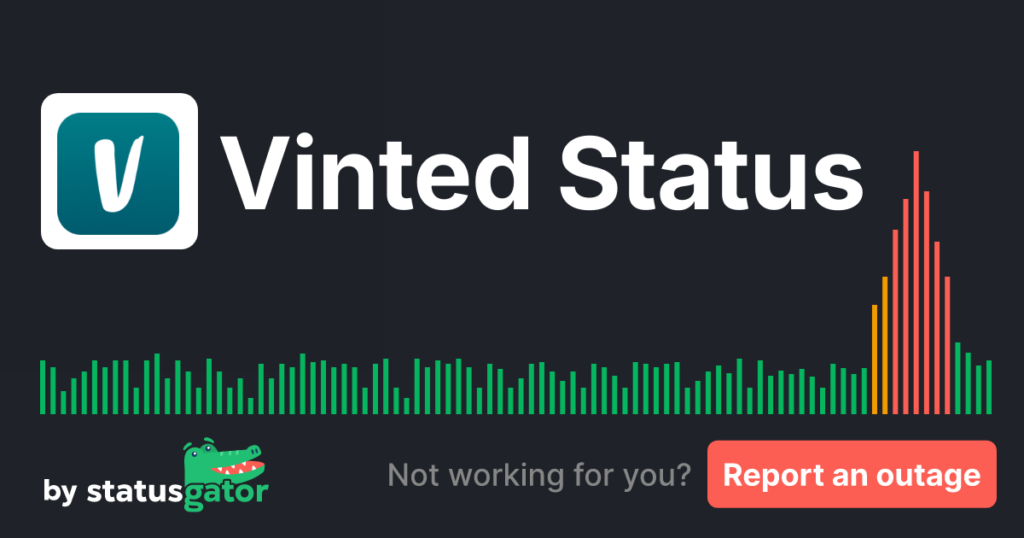
When suddenly vinted not working, it is worth checking whether the problem affects other users. A platform-wide outage can prevent thousands of people from browsing listings, sending messages, purchasing products, or accessing their accounts. These interruptions may happen because of server maintenance, software updates, unexpected technical faults, or unusually high traffic. If the issue is on Vinted’s side, changing your phone settings is unlikely to provide a permanent solution.
vinted not working, Users can check independent outage-monitoring websites such as Downdetector to see whether other people are reporting Vinted problems. These services collect reports about application crashes, checkout failures, website errors, and other technical difficulties. A sudden increase in reports may suggest that the platform is experiencing wider problems. However, user reports are not official confirmation of an outage, and they may not represent every country or feature.
vinted not working, If many users are reporting the same issue, the best approach is usually to wait for the platform to restore its services. Avoid repeatedly attempting payments or creating duplicate orders while checkout is experiencing problems. You can also try accessing Vinted through its website to see whether the issue is limited to the mobile application. Checking again after some time can help you determine whether the interruption has been resolved.
How to Fix Vinted App Not Working on Android and iPhone
vinted not working, One of the simplest ways to fix Vinted is to close the application completely and reopen it. On Android, open the recent applications screen and swipe Vinted away. On an iPhone, open the app switcher and close the application. Wait a few seconds before launching it again. This can help resolve temporary loading errors, frozen screens, and unresponsive buttons. If the problem continues, restart your phone to refresh its operating system and background processes.
vinted not working, The next step is to check whether you are using the latest version of Vinted. Open Google Play on Android or the Apple App Store on iPhone, search for Vinted, and install any available update. Older application versions can contain bugs or compatibility problems that affect browsing, messaging, and account access. Your phone’s operating system should also be up to date. Using a supported operating system helps maintain compatibility with the latest application features.
If the application remains unresponsive, clearing temporary data may help. Android users can open Settings, select Apps, find Vinted, and visit Storage to clear the cache. The exact menu identities depend on the phone manufacturer. iPhone users can try restarting the device or reinstalling the application because iOS does not provide the same individual app-cache control. Before reinstalling, make sure you know your login details. Your account information is stored online, but you may need to sign in again after installing the app.
Vinted Website Not Working: Browser and Loading Problems
vinted not working, Sometimes the Vinted app works normally while the website refuses to load. This can happen because of outdated browser software, corrupted cookies, cached files, or browser extensions that interfere with certain website functions. Users may see a blank screen, experience repeated loading, or receive an error when opening product listings. If this happens, try visiting Vinted through another browser to determine whether the problem is related to your current browser settings.
vinted not working, Clearing your browser cache and cookies can help remove outdated website information that may be interfering with the loading process. In Chrome, open the browsing history or privacy settings and find the option to delete browsing data. Select cached images and files, and consider clearing cookies if necessary. Remember that removing cookies may sign you out of websites, so make sure you know your account details before doing this. Also check whether your browser has an available update.
vinted not working, Browser extensions can sometimes prevent parts of Vinted from working correctly. Ad blockers, privacy extensions, and certain antivirus tools may interfere with page elements or payment functions. Temporarily disabling an extension can help identify whether it is causing the problem. You can also try another browser or use the official mobile app as an alternative. If neither option works, the issue may be related to Vinted’s website rather than your device.
Vinted Login Not Working: Account Access and Password Problems
Login problems are another reason people search for Vinted not working. Some users find that their account suddenly signs out, their password is rejected, or the application keeps returning to the login screen. These issues can happen because of incorrect account details, temporary authentication problems, or confusion about the original sign-in method. Before resetting your password, make sure you are using the correct Vinted regional website and the email address associated with your account.
vinted not working, If you originally registered using Google, Facebook, or Apple, try signing in through the same service. For example, someone who created an account using Apple ID may need to select Continue with Apple instead of entering their regular email address and password. This is particularly important for people who selected Apple’s Hide My Email option during registration. If you have forgotten your password or never created one, use the available password-reset process to establish new login details.
vinted not working, If you can access your account through a browser but not through the mobile application, the problem may be related to the app rather than your account. Update Vinted, restart your phone, and try signing in again. If you receive an account restriction or security-related notification, follow the instructions provided by Vinted instead of repeatedly attempting to log in. Contact customer support if you believe your account has been restricted incorrectly or you cannot recover access.
Vinted Messages, Notifications, and Search Not Working
Vinted messaging is an important part of buying and selling because it allows users to communicate about prices, product conditions, delivery arrangements, and other details. When messages stop working, users may notice that conversations do not open, messages remain unsent, or new replies fail to appear. A temporary internet interruption or application synchronisation problem can sometimes explain this behaviour. Closing and reopening the app, switching networks, and checking the website may help restore normal messaging.
vinted not working, Notification problems can also make Vinted appear broken. Users may stop receiving alerts about new offers, completed purchases, or parcel updates even though the events are visible inside their accounts. Check your phone’s notification settings and make sure Vinted is permitted to send alerts. On Android and iPhone, notification permissions can be managed through the device settings. Also check whether battery-saving features or background activity restrictions are preventing the application from updating regularly.
If vinted not working, try refreshing the page and removing any filters that might be restricting the results. A specific search may return no products because of unavailable listings, incorrect spelling, selected sizes, brands, or price limits. If every search produces an error, update the application and test the website. Avoid assuming that a product has been removed simply because it temporarily disappears from search results. Technical problems and listing changes can both affect what appears in the marketplace.
Vinted Payment, Checkout, and Withdrawal Not Working
vinted not working, Payment problems can be particularly frustrating when a buyer has found an item they want to purchase but cannot complete checkout. Vinted payments may fail because of incorrect card details, bank security checks, temporary payment-provider problems, or outstanding account verification requirements. Sometimes the application displays an error even when the buyer has entered the correct information. In these situations, checking the payment method and trying the website can help identify the source of the problem.
vinted not working, Start by confirming that your payment details are correct and that your bank has not declined the transaction. Check whether your card is active and has enough available funds. If the same payment method continues to fail, another supported option may help. Vinted may also require certain users to complete identity or business verification before particular financial activities can continue. If verification is pending, some payments may be temporarily paused until the required checks are completed.
vinted not working, Sellers may also experience problems withdrawing money from their Vinted Balance. A withdrawal can take longer than expected because of bank processing, payment checks, or account verification. Check the balance and transaction history before submitting another withdrawal request. Make sure your bank details are correct and review any messages from Vinted about verification. If the money does not arrive within the expected timeframe, contact support with the transaction information. Never share your password, full card details, or verification codes with someone claiming to be Vinted support.
Vinted Shipping, Orders, and Listing Upload Problems
Shipping problems can affect both buyers and sellers on Vinted. Buyers may find that parcel tracking is not updating, a shipping label is unavailable, or an order appears stuck in the same status for several days. Sellers may experience difficulties generating postage labels or confirming that an item has been dispatched. These problems can be related to courier systems, delayed tracking updates, incorrect delivery information, or temporary Vinted technical issues.
If a shipping label is not appearing, check your order details and look for any instructions or notifications from Vinted. Make sure the selected delivery option is still available and that the order has been processed correctly. If tracking information is not updating, remember that courier systems do not always display parcel movements immediately. Avoid marking an order as delivered or completed unless the relevant delivery information supports that action. If a parcel appears lost or significantly delayed, use the order’s help or dispute options.
Sellers who cannot upload photographs or publish new listings should check their internet connection, available phone storage, and image permissions. Make sure Vinted has permission to access your camera and photo library. Large photographs or unsupported image formats may also create uploading difficulties. Try restarting the app, selecting a different photograph, or uploading the listing through the website. If the problem continues, save your product description and photographs separately so you do not lose your work while troubleshooting.
Conclusion: How to Fix Vinted Not Working
Vinted not working can be caused by several different issues, including temporary server outages, poor internet connections, outdated applications, login difficulties, browser problems, payment errors, and shipping delays. The best way to resolve these problems is to identify which part of the platform is affected before trying different solutions. Restarting the application, updating your phone, clearing the Android cache, checking browser settings, and switching between Wi-Fi and mobile data can resolve many common technical difficulties.
If Vinted continues to experience problems, try accessing your account through the official website and check whether other users are reporting similar issues. For missing payments, account restrictions, withdrawal difficulties, or order disputes, contact Vinted through its official Help Centre. Avoid making duplicate purchases or sharing sensitive account information while investigating a problem.