Staff Sign In App: Features, Benefits, Uses, and Complete Guide
A staff sign in app is a digital tool that helps businesses record employee attendance, manage working hours, and keep track of who is present at a workplace. Instead of using paper registers, manual attendance sheets, or traditional punch cards, employees can use smartphones, tablets, computers, or dedicated clock-in devices to record when they start and finish work. As businesses move towards digital workforce management, staff sign in applications are becoming an important part of everyday operations.
A staff sign in app is an employee attendance management application designed to record when workers arrive at and leave their workplace. Managing employee attendance can be challenging, particularly for organisations with multiple departments, different shifts, remote workers, and several workplace locations. Paper-based systems can create unnecessary administration, while manual records may contain mistakes or missing information. A digital employee sign in system provides a more organised way to monitor attendance and gives managers access to useful information about their workforce.
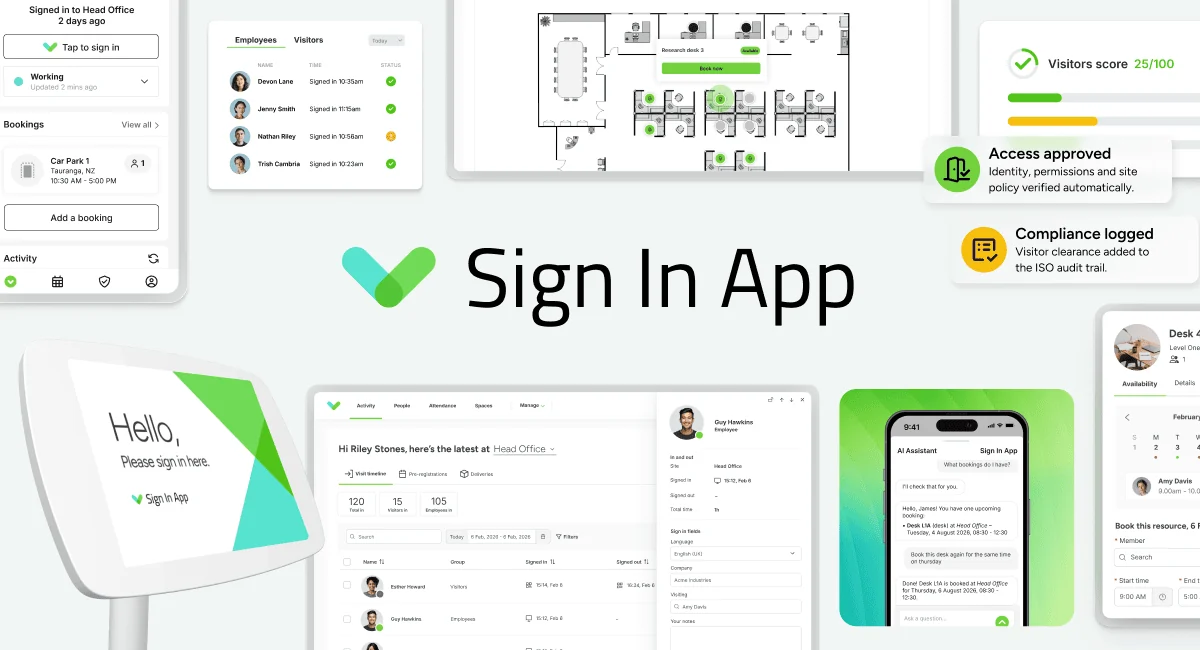
Modern staff sign in apps offer more than basic clock-in and clock-out functions. Depending on the software, they may include GPS location verification, employee profiles, shift management, holiday requests, timesheets, payroll reports, and real-time attendance monitoring. Some platforms also support visitor management and workplace safety procedures.
What Is a Staff Sign In App?
A staff sign in app is an employee attendance management application designed to record when workers arrive at and leave their workplace. It replaces traditional attendance registers with digital records that can be accessed through authorised devices. Employees can sign in using a mobile application, a shared workplace tablet, a computer browser, an access card, or a compatible biometric terminal. The available methods depend on the software selected by the employer.
The main purpose of a staff sign in app is to provide accurate information about employee presence. Managers can use the application to see which team members have arrived, who is currently working, and which employees have not yet recorded their attendance. This information is particularly useful for businesses that operate different shifts or have employees working across several locations. Instead of collecting attendance information manually, managers can review records through a central dashboard.
Staff sign in software is used across many industries, including retail, hospitality, healthcare, construction, education, manufacturing, offices, and professional services. A small business may use a simple clock-in application to record daily attendance, while a larger organisation may require advanced employee management features. The right solution depends on workforce size, working arrangements, reporting requirements, and the level of attendance control needed.
How Does a Staff Sign In App Work?
Most staff sign in applications follow a straightforward process. An employer creates an account, adds employee information, and configures the attendance rules for the organisation. Employees receive login details or another approved identification method that allows them to access the system. Once the setup is complete, workers can use the available sign-in method whenever they arrive at work and record their departure when their shift ends.
Depending on the staff sign in app, employees may sign in through their personal smartphones, a shared tablet at the workplace entrance, a web-based dashboard, or a physical clocking terminal. Some systems use a personal identification number, QR code, RFID card, or biometric verification to identify the employee. Mobile attendance applications may also record GPS coordinates when someone clocks in or out. This can help managers confirm that an employee recorded attendance at an approved location.
After an employee completes a clocking action, the information is added to the attendance record. Managers can review the data, identify missing clock-ins, correct genuine mistakes through authorised procedures, and prepare timesheets. More advanced employee sign in systems can calculate working hours, account for breaks, record overtime, and export approved attendance information for payroll processing. Some applications also provide notifications when employees arrive late or forget to clock out.
Main Features of a Staff Sign In App
One of the most important features is digital attendance tracking. It allows employees to record their arrival and departure times without completing paper forms. Managers can view attendance information through a central dashboard and monitor daily workforce activity. Depending on the software, records may also include break times, overtime, absence information, and different shift arrangements. This helps businesses maintain a clearer picture of employee working patterns.
GPS attendance tracking is another feature available in many modern staff sign in applications. When enabled, the system can record an employee’s location at the moment they clock in or out. This is especially useful for delivery teams, maintenance workers, construction employees, and other staff who work outside a permanent office. However, GPS features should be configured carefully, with clear information about what is collected and when location information is accessed.
Other useful features include employee profiles, attendance reports, shift information, holiday requests, and manager notifications. Some applications provide a self-service portal where employees can check their recorded hours, review upcoming shifts, and submit leave requests. More advanced platforms can connect attendance information with payroll and human resource systems. For organisations that need to account for everyone during an emergency, certain staff sign in platforms also maintain live lists of employees currently present at a site.
Benefits of Using a Digital Staff Sign In System
One major benefit of using a staff sign in app is improved attendance accuracy. Paper registers can be difficult to manage, especially when several employees arrive at different times or work rotating shifts. Employees may forget to write their identities, enter incorrect times, or record information that needs further checking. A digital system creates time-stamped records and makes it easier for managers to identify missing information. This can reduce administrative mistakes and provide a more consistent attendance process.
Another advantage is saving time for managers and administrative teams. Manually collecting attendance sheets, calculating working hours, and preparing monthly reports can take considerable effort. A staff attendance app can automate many of these activities, allowing managers to focus on other responsibilities. When attendance information is organised in one place, it also becomes easier to review employee working patterns and identify repeated lateness, unexpected absences, or overtime requirements.
Digital attendance management can also improve communication between employees and employers. Staff members may be able to view their own attendance history, check recorded hours, and receive notifications about missing clock-ins. Managers can use the same system to communicate attendance updates and review employee requests. For businesses with multiple branches, centralised records can provide better visibility across different locations and help maintain consistent workplace procedures.
Staff Sign In App for Android and iPhone
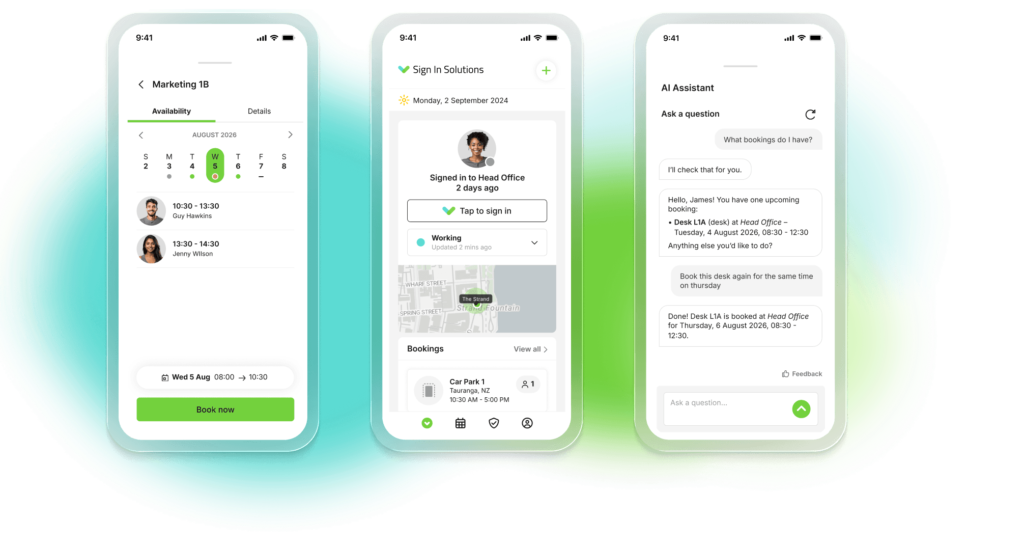
A mobile staff sign in app allows employees to record their attendance using smartphones rather than depending entirely on a physical clocking machine. Many workforce management platforms support Android and iOS devices, giving businesses flexibility when choosing how employees access the system. Staff members can download the authorised application, sign in using their assigned credentials, and use the available clock-in and clock-out functions according to company rules.
For employees who work remotely or travel between locations, mobile attendance can be particularly useful. A field technician, for example, may start the working day at a customer location instead of visiting the main office. A mobile employee attendance app can record the clocking time and, where enabled, the location associated with that action. Managers can then review the information without requiring employees to return to a central workplace simply to register their attendance.
However, businesses should consider employees who do not own smartphones, have limited mobile data, or prefer not to use personal devices for work purposes. A shared tablet, browser-based sign-in page, or dedicated clocking terminal can provide alternative access. Before selecting an Android or iPhone staff sign in application, employers should check device compatibility, offline functionality, security features, user permissions, and the availability of technical support.
GPS Tracking, Biometric Verification, and Employee Security
GPS tracking can make a staff sign in system more useful for businesses with mobile workforces. When an employee clocks in through an authorised application, the software may record the location at that particular moment. Managers can use this information to check whether an employee started a shift at an approved workplace or assigned job location. This is different from continuous location tracking, and employers should make the distinction clear to their workforce before introducing the feature.
Biometric attendance is another option offered by some systems. Depending on the equipment, employees may use fingerprint or facial recognition to verify their identity when recording attendance. This can help reduce practices such as one employee clocking in on behalf of another. However, biometric information requires particular care because it can involve sensitive personal data. Employers should understand their legal responsibilities, establish an appropriate lawful basis and safeguards, and consider whether a less intrusive attendance method would achieve the same purpose.
Security should remain a priority regardless of the sign-in method. A reliable employee attendance system should provide appropriate account permissions, secure data transmission, access controls, and protection against unauthorised changes. Managers should only receive access to the information required for their responsibilities, while employees should be able to understand how their attendance records are used. Businesses in the United Kingdom should also consider data protection requirements when collecting employee location or biometric information.
How to Choose the Best Staff Sign In App
Choosing the best staff sign in app starts with understanding how a business operates. A small office with ten employees may only need a simple clock-in and clock-out application, while a construction company with workers at different sites may need GPS attendance and mobile clocking. A restaurant or hotel may require shift-based attendance, break tracking, and overtime calculations. Selecting software according to actual workplace requirements is more useful than paying for features that employees and managers will rarely use.
Ease of use is another important consideration. Employees should be able to record attendance without dealing with complicated menus or lengthy procedures. A straightforward interface can make adoption easier, particularly for teams with different levels of technical experience. Managers should also be able to find attendance records, review reports, and correct genuine errors without unnecessary difficulty. Testing the application before introducing it across the entire organisation can help identify potential problems.
Businesses should also examine pricing, customer support, reporting tools, integrations, and data protection arrangements. Some providers charge per employee, while others offer different subscription packages depending on available features. It is worth checking whether the system can export timesheets to existing payroll software and whether it supports multiple locations. Reviewing a free trial or arranging a product demonstration can help employers understand how the application works in real workplace conditions.
Common Problems With Staff Sign In Apps and Their Solutions
Although digital attendance systems are designed to simplify employee management, users may occasionally experience technical problems. Login failures, forgotten passwords, application crashes, inaccurate clocking records, and internet connectivity issues are among the problems that can interrupt normal use. Employees should first check their login details, internet connection, and application version. If the problem continues, the organisation’s administrator or software support team can investigate the account or device settings.
Location-related errors can also occur when a mobile staff sign in app uses GPS verification. Poor indoor reception, disabled location permissions, outdated device software, or incorrect workplace settings may affect the recorded location. Employees should check that the application has the required permissions and that their device’s location services are working correctly. Managers should avoid treating every location mismatch as deliberate misconduct because technical limitations can also affect attendance records.
Another common issue involves missing or incorrect clock-in and clock-out entries. An employee might forget to end a shift, accidentally record the wrong time, or experience a device problem. A good attendance management process should allow authorised managers to review and correct genuine errors while maintaining a clear record of changes. Businesses should also establish a backup procedure, such as a manual attendance form, for situations when the application or workplace internet connection becomes unavailable.
Who Should Use a Staff Sign In App?
A staff sign in app can be useful for almost any organisation that needs to monitor employee attendance. Small businesses can use it to replace paper registers and maintain reliable working-hour records without introducing complicated management software. Retail shops, restaurants, hotels, warehouses, and offices can use digital clocking systems to organise employee schedules and understand daily staffing levels. For businesses with several departments, a central attendance dashboard can make it easier to review workforce activity.
Larger organisations may benefit from applications that combine attendance tracking with workforce management, payroll preparation, and employee self-service. Schools and educational institutions can use staff sign-in systems to understand who is present on campus, while construction and maintenance companies may prefer mobile attendance with approved location verification. Healthcare organisations may also find digital sign-in useful for managing different shifts and maintaining workplace attendance information. The most suitable application depends on the organisation’s size, industry, security requirements, and working arrangements.
Conclusion
A staff sign in app is a practical solution for businesses that want to improve employee attendance management and reduce the effort involved in maintaining working-hour records. By replacing manual registers with digital clock-in and clock-out systems, organisations can maintain more organised attendance information, monitor employee presence, and simplify timesheet preparation. Features such as GPS verification, biometric identification, shift management, employee profiles, and payroll integration can provide additional support depending on the application.
Choosing the right employee sign in software requires careful consideration of usability, pricing, device compatibility, security, and reporting capabilities. Employers should also make sure that employees understand how attendance information is collected, stored, and used. A well-selected system can improve communication, support accurate payroll preparation, and make everyday workforce administration more manageable.