Levoit App: Features, Benefits, Setup Guide, Smart Controls, and Everything You Need to Know
The Levoit app is a useful digital tool for people who want better control over their home environment through smart appliances. Whether you own a Levoit air purifier, humidifier, smart fan, or another compatible device, the app helps make everyday device management easier. Users can adjust settings, create schedules, monitor air quality on supported models, and manage connected appliances directly from their smartphones. These features make it possible to control different aspects of home comfort without constantly operating each appliance manually.
One important detail is that levoit app devices generally connect through the VeSync app, rather than a separate application simply called Levoit. VeSync is a smart home platform that brings together compatible products from Levoit, Etekcity, and Cosori. It is designed to provide a central place for managing connected appliances, checking device information, and creating convenient routines. Available features depend on the specific product model and its smart capabilities.
As smart home technology becomes more common, applications like VeSync are becoming increasingly useful for managing household devices. Instead of relying entirely on physical buttons, users can operate compatible appliances through their phones.
What Is the Levoit App?
The Levoit app commonly refers to VeSync, the official companion application used to connect and control compatible Levoit smart home products. Developed for the VeSync ecosystem, the application allows users to manage supported appliances through an internet connection. It is available for Android and iOS devices, making it accessible to many smartphone users. After connecting a compatible appliance, users can access different controls depending on the device they own.
The main purpose of the levoit app is to make home appliance management more convenient. For example, someone with a compatible Levoit air purifier can use the application to switch the device on or off, change fan speeds, activate available operating modes, and create schedules. Owners of supported humidifiers may also be able to adjust mist levels, control settings, and monitor other operating information. These features reduce the need to interact with the appliance physically every time a setting needs to change.
Another useful aspect is that VeSync supports more than one product category. Users who own compatible Levoit air purifiers, Etekcity smart devices, and Cosori kitchen appliances can manage supported products through the same platform. This makes the application more than a basic air purifier remote control. It acts as a connected smart home management system that brings several everyday appliances together in one place.
Main Features of the Levoit VeSync App
One of the most useful features of the levoit app is remote device control. Once a compatible appliance has been successfully connected, users can access supported controls through their smartphones. Depending on the product, these controls may include power settings, fan speed, operating modes, lighting, and other adjustments. This is particularly helpful when someone wants to change an appliance setting without walking across the room or interrupting another activity.
Scheduling and timer functions are also important parts of the application. Users can create customized routines for compatible devices, allowing appliances to turn on or off at selected times. For example, an air purifier can be scheduled to operate during sleeping hours or while household members are away. Certain devices also support automatic operating modes that respond to detected conditions. These functions help make daily appliance management more organized and convenient.
The application also provides device notifications and useful maintenance information on supported models. An air purifier may display filter replacement information, while certain smart devices provide operating updates or other status details. Some levoit app models also offer air quality information, including PM2.5 readings and historical data. These features can help users understand how their appliances are operating and when maintenance may be necessary. However, not every feature is available on every Levoit product.
How to Download and Install the Levoit App
Downloading the Levoit app is a straightforward process because the official companion application is called VeSync. Android users can find it through the Google Play Store, while iPhone and iPad users can search for VeSync in the Apple App Store. Before installing the application, users should check the developer information and confirm that they have selected the correct official app. This is important because similarly applications may appear in store search results.
After downloading levoit app, open it and follow the instructions to create a VeSync account or sign in to an existing account. Registration allows users to manage connected devices and access supported services. Once logged in, the application provides access to its main interface, where users can add compatible products and organize their smart home devices. The exact appearance of the interface may change as the application receives updates.
After installation of levoit app, it is worth exploring the main dashboard to understand where device controls, account settings, notifications, and other features are located. Users should also allow only the permissions needed for the functions they want to use. Depending on the smartphone and device, the application may request access to local network features, Bluetooth, or location services during setup. Following the on-screen instructions carefully can make the installation and connection process easier.
How to Connect a Levoit Device to the App
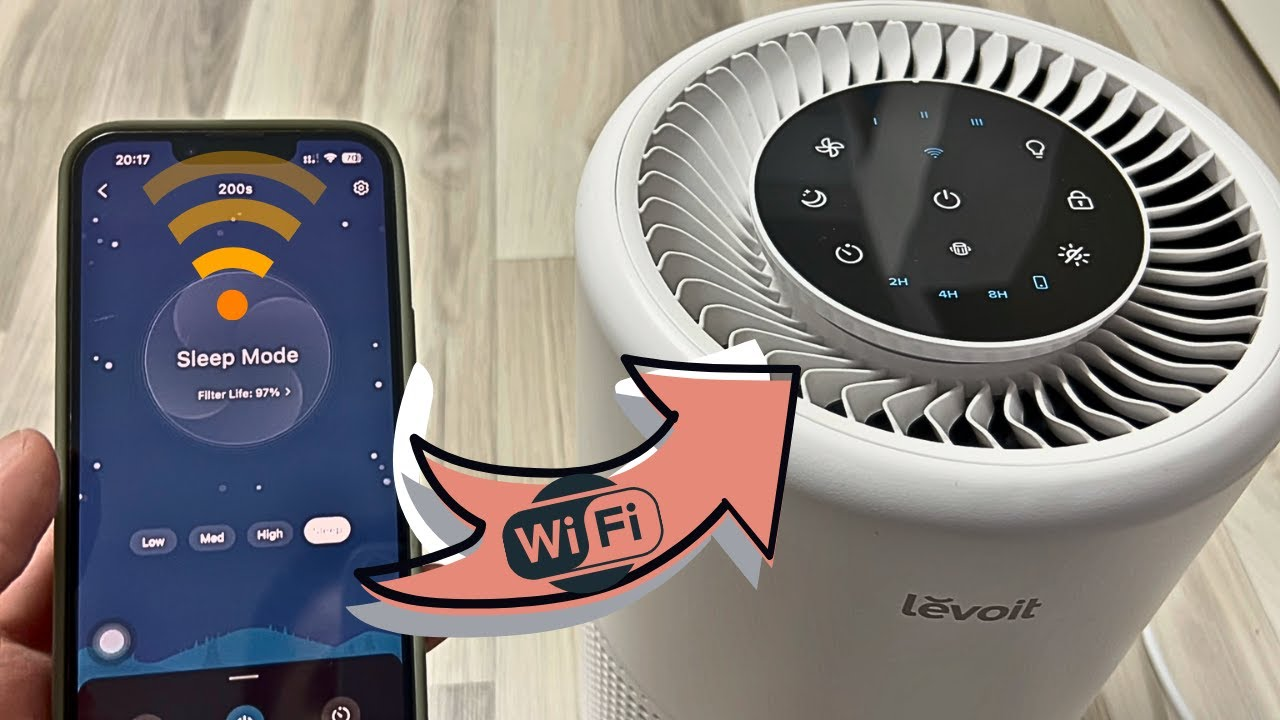
Connecting a compatible levoit app to VeSync usually begins by making sure the device is powered on and ready for pairing. Open the application, sign in to your account, and select the option to add a new device. The available product categories should appear on the screen. Choose the appropriate Levoit product and follow the instructions provided for that particular model. The application may ask you to activate the device’s Wi-Fi pairing mode before continuing.
A stable Wi-Fi connection is important during setup. Many Levoit smart appliances are designed to connect through a 2.4 GHz Wi-Fi network, although compatibility requirements can vary by model. If your home router uses both 2.4 GHz and 5 GHz networks, check the product manual to confirm which network is supported. Enter the correct network information when requested and keep your smartphone reasonably close to the appliance until the connection process is complete.
Once the device has been added successfully, it should appear in the application dashboard. You can then open its control page and explore the available functions. It is often helpful to give the device a recognizable identity, especially when managing several appliances in different rooms. For example, naming an air purifier Bedroom or Living Room makes it easier to identify the correct appliance when adjusting settings or creating schedules.
Levoit Air Purifier Controls and Air Quality Monitoring
Air purifier management is one of the most popular reasons people use the Levoit app. Compatible smart air purifiers can provide remote access to several important operating settings. Users may be able to adjust fan speeds, activate Sleep Mode, select Auto Mode, and switch the appliance on or off. These options make it easier to manage indoor air cleaning according to personal preferences and household routines.
Some supported Levoit air purifiers also provide air quality monitoring through VeSync. Depending on the model, the application may display PM2.5 readings and historical air quality information. PM2.5 refers to fine airborne particles with a diameter of 2.5 micrometres or smaller. Monitoring these readings can help users understand changes in the particle levels detected by the appliance. However, sensor readings should not be treated as a complete assessment of indoor air quality because different pollutants require different measurement methods.
Filter monitoring is another practical feature. Certain connected air purifiers display an estimated remaining filter life percentage, helping users understand when replacement may be necessary. The application may also provide access to replacement filter information. It is important to remember that filter-life estimates are not always a direct measurement of actual filter condition. Users should follow the manufacturer’s maintenance instructions, clean reusable pre-filters when appropriate, and replace filters according to the requirements of their specific model.
Smart Scheduling, Automation, and Voice Control
Smart scheduling makes the levoit app useful for people who want their appliances to operate automatically. Instead of switching an air purifier on and off manually every day, users can create routines based on their usual schedules. For example, someone may want an air purifier to start operating before bedtime and continue throughout the night. A compatible humidifier could also be scheduled to operate during particular hours, depending on the needs of the household.
Automation features can make these routines even more convenient. Some compatible Levoit devices offer Auto Mode, allowing the appliance to adjust its operation according to information detected by its sensors. Other products may provide different automatic settings depending on their design. These functions can reduce the need for frequent manual adjustments. However, users should remember that automatic features differ between products, and the available settings should always be checked in the device’s control panel.
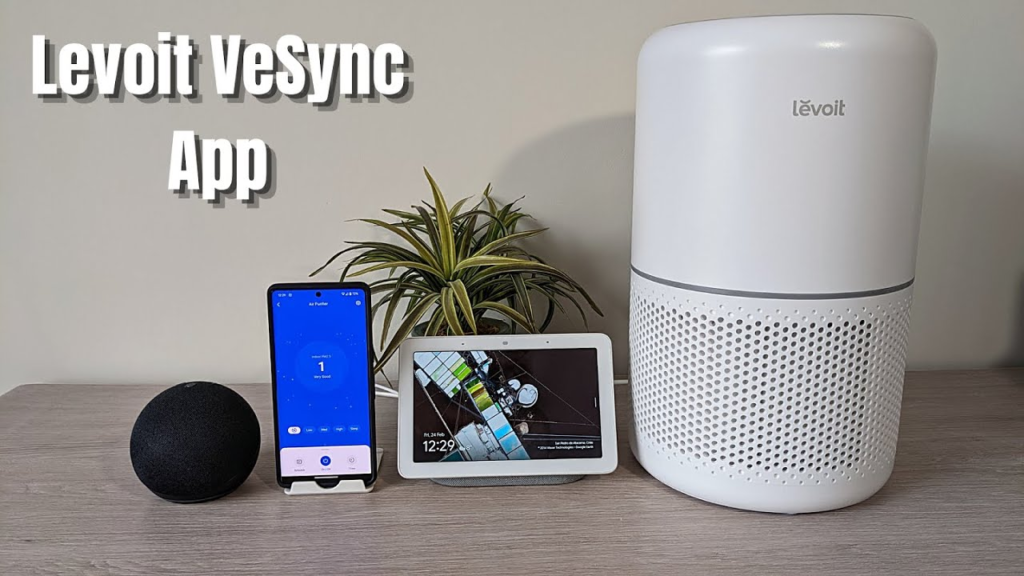
Voice control is another useful part of the VeSync ecosystem. Compatible Levoit appliances can connect with Amazon Alexa and Google Assistant, allowing users to operate supported functions through voice commands. After connecting the relevant voice assistant through the VeSync application, users can issue simple instructions without opening the app each time. For example, they may ask a compatible assistant to turn on an air purifier or adjust a supported setting. Actual commands depend on the appliance, integration, and available voice assistant features.
Is the Levoit App Free and Safe to Use?
levoit app VeSync is available as a free download for compatible Android and iOS devices. Users do not generally need to purchase the application itself to access its basic device management functions. However, the cost of a compatible Levoit appliance, replacement filters, and other accessories is separate. Some additional services, shopping features, promotions, or product-related purchases may also be available within the wider VeSync ecosystem.
Safety and privacy are important considerations when connecting household appliances to the internet. Like other smart home applications, VeSync may process certain information to support account management, device connectivity, notifications, and other services. The information involved can depend on the device, application permissions, and features being used. Users should review the current privacy policy and data safety information before creating an account or connecting their appliances.
For a safer experience, download the application through an official app store and avoid installing unfamiliar versions from third-party websites. Use a strong and unique account password, keep the application updated, and secure your home Wi-Fi network. It is also sensible to review connected devices and account permissions occasionally. These simple precautions can help users manage their smart home products more responsibly while reducing unnecessary privacy and security risks.
Common Levoit App Problems and How to Fix Them
Sometimes users experience connection problems when trying to connect a Levoit device to VeSync. One common issue is an unsuccessful Wi-Fi pairing process. This may happen when the appliance is connected to an unsupported network, the Wi-Fi password is incorrect, or the router signal is weak. Checking the device’s network requirements and moving the appliance closer to the router can help resolve the problem. Restarting the router and repeating the setup process may also be useful.
Another common issue of levoit app occurs when a connected appliance appears offline in the application. In this situation, users should check whether the appliance has power and whether their home internet connection is working correctly. Closing and reopening VeSync may refresh the connection. If the problem continues, restarting the appliance and checking for application updates are reasonable troubleshooting steps. Users should also confirm that the device has not been removed from the account or disconnected during a network change.
Application controls may sometimes stop responding or display information that does not appear to update correctly. This can happen because of temporary network interruptions, outdated software, or communication problems between the phone and appliance. Updating VeSync, checking smartphone permissions, and restarting the relevant devices may help. If none of these steps works, consult the product manual or contact official Levoit customer support. Providing the exact model number and a description of the problem can make troubleshooting more effective.
Conclusion
The Levoit app, commonly known as VeSync, is a convenient smart home application for managing compatible Levoit appliances. It brings useful functions such as remote device control, scheduling, timers, air quality monitoring on supported models, filter information, and voice assistant integration into one smartphone platform. These features can make everyday home appliance management simpler and help users build routines that suit their lifestyles.
One of its biggest advantages is the ability to manage several compatible devices through a single application. Whether someone wants to adjust an air purifier, monitor a supported humidifier, or create an automatic operating schedule, VeSync provides a central place for accessing available controls. Its compatibility with selected Etekcity and Cosori products also makes it useful for people who own appliances from multiple brands within the same ecosystem.
Overall, the Levoit VeSync app is worth exploring if you own compatible smart home products and want more convenient control over their operation. Before downloading, make sure you select the official application, check your device’s compatibility, and review the available privacy information. With the correct setup and regular maintenance, the application can become a helpful part of managing a more comfortable and connected home.